Instagram Transcript for Students: Turning Reels Into Notes
Yes. Save the Reel or the recording to your device, then upload that audio or video file — there is no link to paste and no Instagram login involved. On our build today, a 60-second clip came back in 3.1–3.3 seconds and a five-minute chunk in 19–52 seconds. What lands in front of you is plain text: no timestamps, no speaker labels, no paragraph breaks. Turning it into notes is one more pass, and it is your pass to make.
What you have to hand over
Three things are true of this step, and all three are easy to check:
- You upload a file, not a URL. Instagram does not allow outside tools to fetch Reel media programmatically, so there is nothing to paste.
- No Instagram account, no sign-up, no email. The upload form takes the file and nothing else.
- The file leaves your browser, once. It is posted to
/api/transcribeover an encrypted connection, held in memory for a single pass, and discarded as soon as the response is sent. It is not stored, not added to any training set, and not attached to an account, because there is no account.
How long it takes, measured today
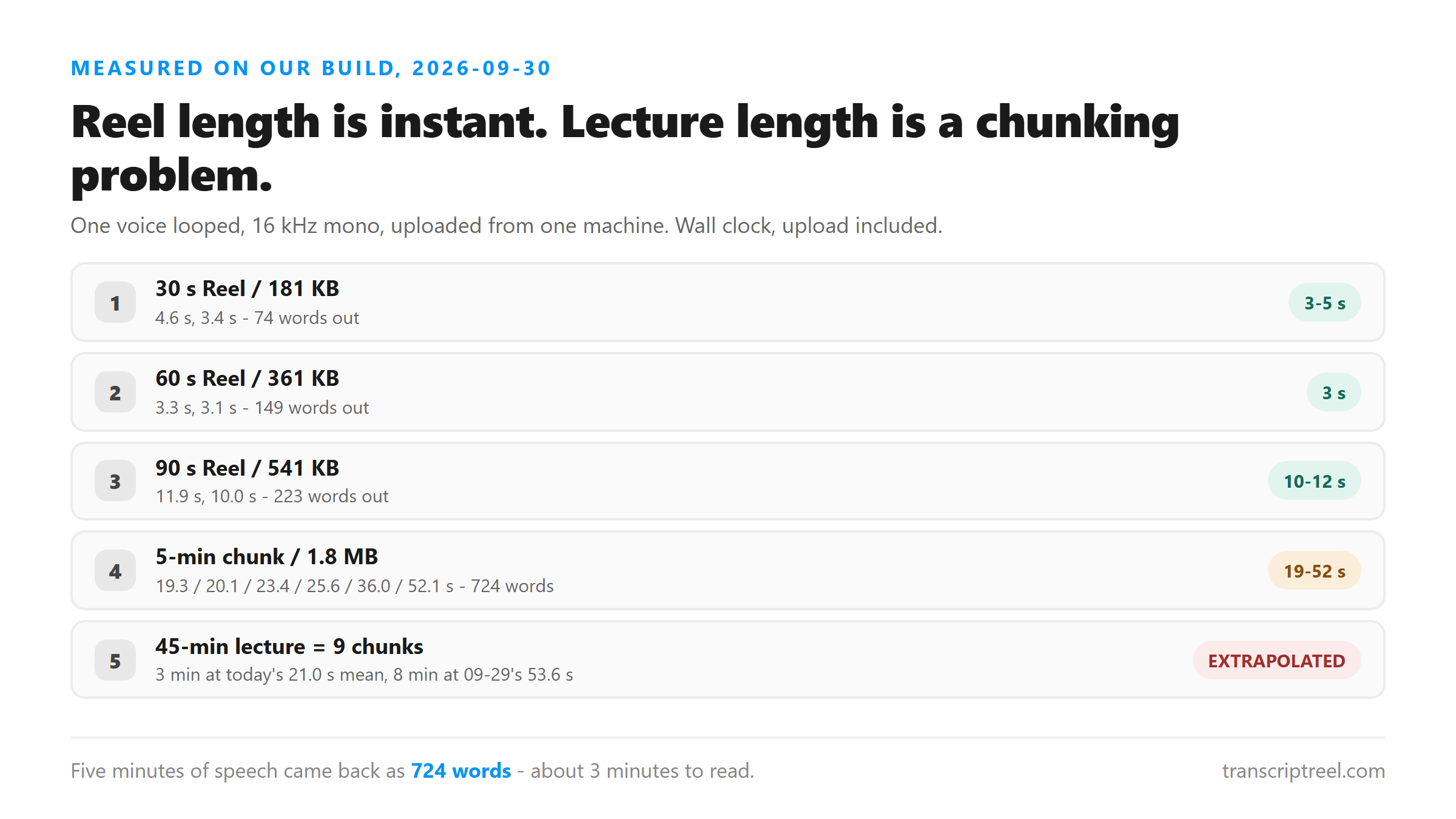
We ran our own build on 2026-09-30 with one voice looped into clips of four lengths, encoded at 16 kHz mono, uploaded from a single machine. Wall clock, upload included:
- 30 seconds / 181 KB: 4.6 s and 3.4 s — 74 words out.
- 60 seconds / 361 KB: 3.3 s and 3.1 s — 149 words out.
- 90 seconds / 541 KB: 11.9 s and 10.0 s — 223 words out.
- 300 seconds / 1.8 MB: 36.0 s, 25.6 s and 52.1 s when run one at a time; 19.3 s, 23.4 s and 20.1 s when three ran back to back — 724 words out.
Do not judge the speed from one run
The same five-minute file took between 19 and 52 seconds across six runs today, and a batch of six chunks on 2026-09-29 averaged 53.6 seconds per chunk. Short files are dominated by fixed overhead, so a 60-second clip can finish faster than a 30-second one, as it did here. If a single upload feels slow, run it again before you conclude anything.
Reel length is easy; lecture length is the real problem
A 45-minute lecture is nine chunks. At today's back-to-back average of 21.0 s per chunk that is about 3 minutes of machine time; at the 53.6 s per chunk we measured on 2026-09-29 it is about 8 minutes. Both figures are arithmetic, not one measured end-to-end run — budget the larger one.
What the text looks like when it lands
We read the response again today. It returns six fields: success, transcript, language, engine, fileSize and fileName. There is no timing data, no speaker label and no structure. The 903-character transcript for a 60-second clip contained zero line breaks — one continuous block of prose.
- Punctuation is there, paragraphs are not. You get commas and full stops and one long paragraph. Splitting it is your job.
- Names and technical terms are the weak spot. In one of our own test transcripts the model wrote "bills" where the audio said "tools" and "real" where it said "Reel". Fix those before you quote anything.
- Difficult audio is not flagged. Music, crowd noise and overlapping speech still return success. The response does not tell you the transcript is unreliable.
Turning the text into notes
- Split the recording into five-minute files first and name them in order. Because the transcript carries no timestamps, the file names are your only positional index back into the audio.
- Read each chunk once and add your own headings. Five minutes of speech came out at 724 words, which is roughly three minutes of reading at 220 words per minute — and unlike a video, a text transcript is searchable.
- Correct proper nouns and technical terms on that first pass, while the audio is still fresh.
- Keep the recording. If a sentence is going into an assignment, verify it against the audio before you submit it.
Where this is the wrong tool
If the Reel is mostly music, or if the point of the video is on screen rather than spoken — slides, diagrams, code, a worked example on a whiteboard — a transcript will not carry the content, because the content was never in the audio. For anything you plan to submit, check what your school expects for quoting social media. A transcript is a source of wording, not a substitute for the original.
FAQ
Can I paste a Reel link instead of uploading a file?
No. Instagram blocks automated media access, so there is no server-side fetch that reliably returns the audio. Save the Reel to your device first, or screen-record it, then upload the file.
Do I need an Instagram account or a login?
No. There is no account, no sign-up and no email. The file is posted over an encrypted connection, processed in memory once, and discarded after the response.
Will the transcript have timestamps so I can find the quote?
No. The response has no timing field at all, and the caption files this site can generate are built without real cue points for the same reason. Use ordered file names to keep track of where you are in a long recording.
How long does a one-hour lecture recording take?
Twelve five-minute chunks. Extrapolating from today's 21.0 seconds per chunk and from 53.6 seconds per chunk on 2026-09-29, expect roughly 4 to 11 minutes of processing plus the time you spend uploading. That is arithmetic from chunk runs, not one measured hour-long job.