Why a Downloaded Instagram Photo Comes Back With No Words
A photo post is a picture, and a picture has no waveform
Transcription reads sound. A photo post on Instagram is a still image with a caption under it, and the caption is text someone typed, not speech anyone said. When you save that post you get a JPEG. There is no audio stream inside it, so there is nothing for a speech model to work on. This is not a settings problem and it is not a quality problem.
What our endpoint does with a saved photo
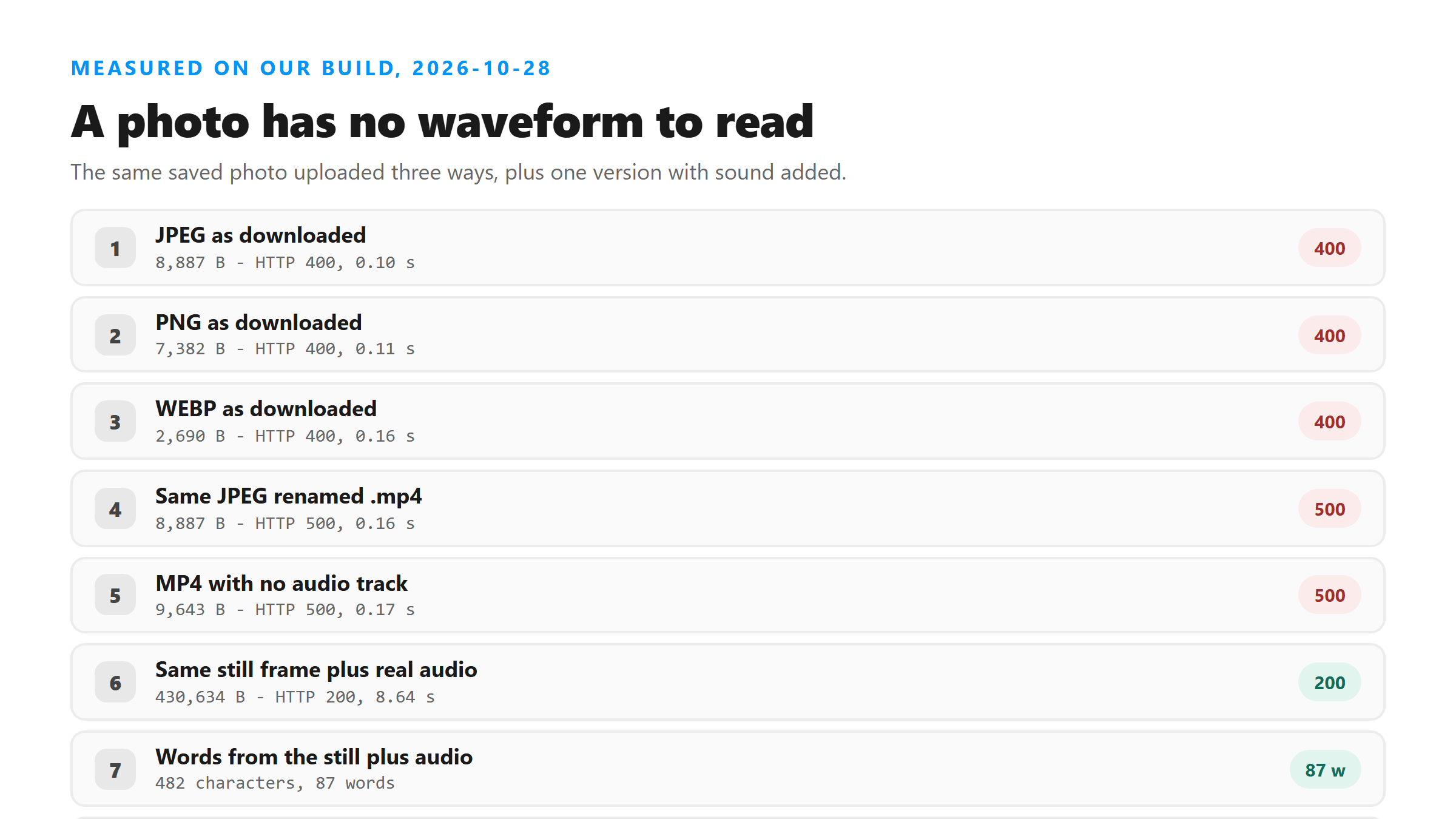
We uploaded the same photo in three shapes today. The first two fail for different reasons, and the reason matters if you are trying to fix it.
- JPEG, 8,887 bytes - HTTP 400 in 0.10 seconds. The extension is not on the accepted list, so the request never gets as far as decoding.
- PNG, 7,382 bytes - HTTP 400 in 0.11 seconds. Same refusal, same speed.
- WEBP, 2,690 bytes - HTTP 400 in 0.16 seconds. The format is not the issue; the extension is.
- The same JPEG renamed to .mp4, 8,887 bytes - HTTP 500 in 0.16 seconds. It clears the name check and then dies, because a renamed photo still has no audio stream.
The version that works
We took that same still frame, looped it for 30 seconds, and muxed a real audio track underneath it. The file was 430,634 bytes. It uploaded cleanly, came back in 8.64 seconds, and returned 482 characters and 87 words - every word from the audio, none from the picture. The endpoint reads the audio stream and ignores the video stream entirely. A still frame with sound in it works. A moving picture without sound does not.
How to tell before you upload
Run ffprobe -v error -select_streams a -show_entries stream=codec_name -of json yourfile.jpg and look at the answer. An empty list means no audio stream, and the upload will fail. That is true whether the file is named .jpg or .mp4. Renaming changes what the check sees; it never changes what is inside the container.
What you can do with a photo post instead
If the words you want are typed under the post, copy them - a transcript will never produce them, because nobody spoke them. If someone talks over the still frame in a video version of the post, record that and upload the audio. If the only copy of the words is burned into the pixels, you need an OCR tool, and this page does not do that. A carousel is the same story repeated: every slide is an image, and saving the whole thing gives you a folder of pictures that will not upload here. We have tested text drawn onto video frames before and got zero characters back from it.
Where that leaves you
Check for an audio stream before you upload anything, and don't rename your way past a refusal. A 400 means the file name is not accepted. A 500 on a file you just renamed means the name passed and the content did not. One ffprobe call tells you which one you are looking at, and it runs faster than re-downloading at another quality.
Got a Reel you want as text? Upload the file and download the transcript as TXT, SRT, or VTT →
A photo has no audio to pull, and that is the whole problem. Where Wondershare UniConverter helps is the recording you make instead: if someone talked over the still frame, it writes that audio out in a container this endpoint reads. It does not transcribe, and it will not find words nobody said.
FAQ
Can I transcribe the caption under an Instagram photo?
No. The caption is text the poster typed, and transcription only reads speech. Copy the caption by hand if you need it as text.
Why does renaming a photo to .mp4 give a different error?
Because the two checks run in order. A .jpg fails the extension check with a 400. Once you rename it to .mp4 it passes that check, gets decoded, and fails with a 500 because there is no audio stream in it.
Does a photo with spoken audio over it work?
Yes. We muxed a 30-second audio track under a still frame and got HTTP 200 in 8.64 seconds with 482 characters and 87 words. The video track is irrelevant to the result.