What an Online Instagram Downloader Actually Hands You
The file is the product
A downloader site takes a public link and writes you a video file. It doesn't hand you the caption, the comments, or the audio as a separate track, and it doesn't guarantee the audio made it into the mix. Whatever you get is the thing a transcriber has to live with, so it's worth knowing what to check before you upload it anywhere. Two minutes with ffprobe beats a round of guesswork.
Four files, four different outcomes
These are the shapes downloader output usually takes. We built all four this morning and ran each one against /api/transcribe.
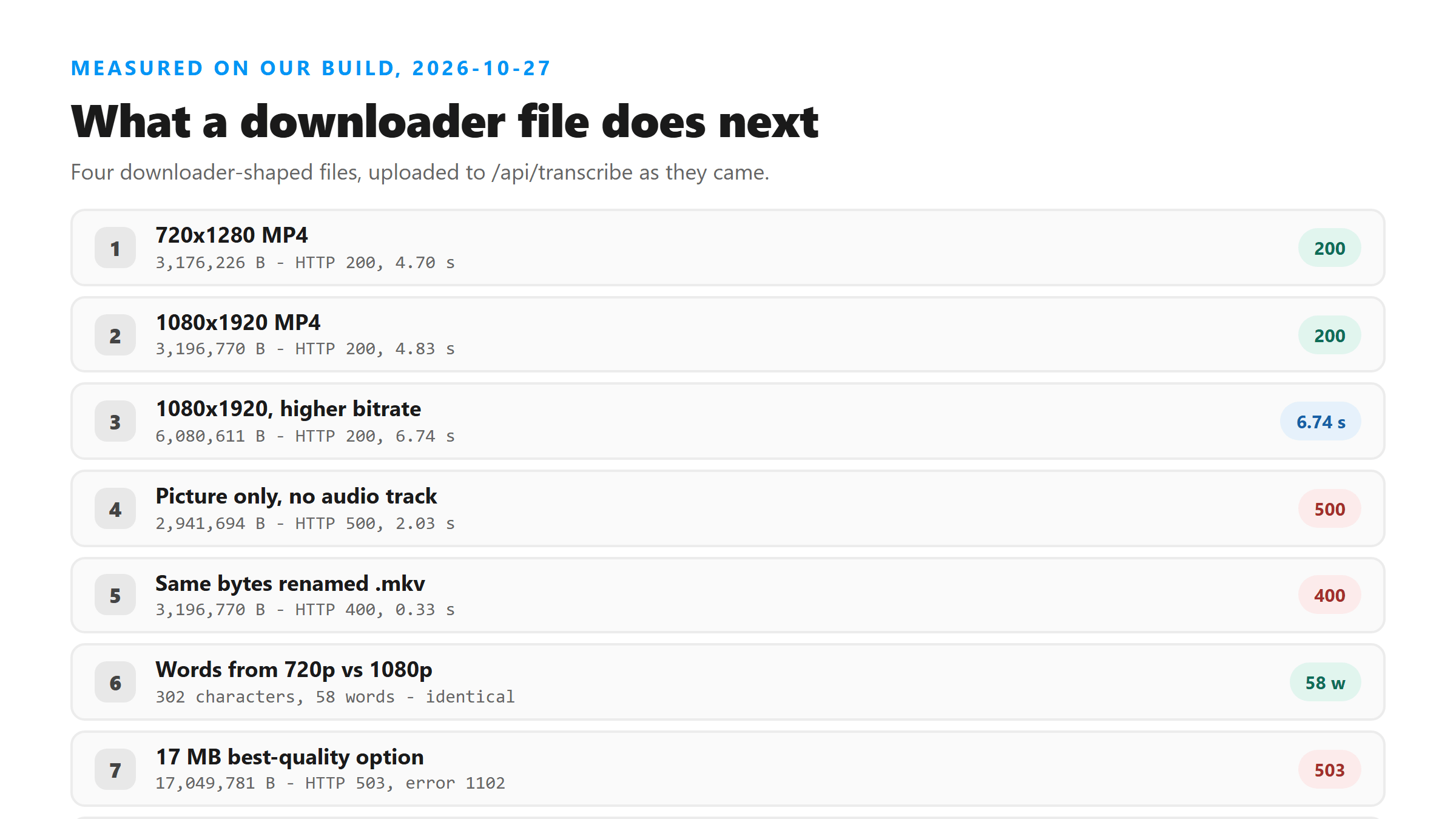
- 720x1280 MP4, 3,176,226 bytes: HTTP 200 in 4.70 seconds, 302 characters, 58 words.
- 1080x1920 MP4, 3,196,770 bytes: HTTP 200 in 4.83 seconds, the same 302 characters.
- 1080x1920 at a higher bitrate, 6,080,611 bytes: HTTP 200 in 6.74 seconds, the same text again.
- The 1080x1920 file with the audio track stripped, 2,941,694 bytes: HTTP 500 in 2.03 seconds, "Transcription failed. Please try another supported file."
- The 3,196,770-byte file renamed .mkv: HTTP 400 in 0.33 seconds, "Unsupported file format. Please select MP3, WAV, M4A, AAC, OGG, FLAC, MP4, MOV, or WEBM."
No audio track is the one that wastes your time
Plenty of downloader output is a video stream with the sound dropped, because the site grabbed the picture and never muxed the audio back in. That file plays fine and looks fine. It fails at our endpoint in about two seconds, and the error text points at the format, which is the wrong place to look. Run ffprobe first and save yourself the round trip.
Resolution doesn't change the words
Our 720x1280 file and our 1080x1920 file came back with the same 302 characters and the same 58 words, and the 6,080,611-byte version did too. The model reads the audio stream, and the picture is just weight you pay to upload. That's the whole argument for pulling the sound out before you send anything.
The container name gets checked before the contents
Downloader sites hand out .mkv files fairly often, and some phone-side savers write .3gp. Both failed in 0.33 seconds with the same "Unsupported file format" message, using bytes that had just succeeded as .mp4. Nothing was decoded. Renaming to .mp4 is usually enough, though it won't help a file that has no audio inside it.
Big files fail in a different place entirely
Size stops you at two different fences. A 6,080,611-byte MP4 made it through today in 6.74 seconds. A 17,049,781-byte 1080x1920 recording came back HTTP 503 with Cloudflare error 1102 after 5.06 seconds, which means it never reached our code at all. If a downloader offers you a "best quality" option, it's selling you the version most likely to hit that wall.
Two checks before you upload
First, confirm there's sound: ffprobe -v error -select_streams a -show_entries stream=codec_name -of default=nw=1 yourfile.mp4. No output means no audio stream. Second, look at the size in bytes, not the resolution. Anything past a few megabytes is worth stripping down first with ffmpeg -i yourfile.mp4 -vn -c:a copy audio.m4a, which took our 17 MB recording's audio down to 250,933 bytes.
What a downloader never gives you
The caption, the comments and the on-screen text all stay behind. A media file carries the audio and nothing else. If the words you want were typed under the post instead of spoken in it, no downloader will produce them. Copy that text by hand, and treat the transcript as a separate thing that only covers what was said out loud.
What we didn't measure
These four files are ours, built with ffmpeg this morning to the shapes downloader output usually takes. We didn't run a downloader site against Instagram, so we can't tell you what any specific service writes. What we can tell you is how our endpoint answered each shape, and those numbers are today's.
What comes back and what doesn't
Six fields: success, transcript, language, engine, fileSize and fileName. Language read unknown on all four uploads today, the text arrived as one block with 0 line breaks, and there were no timestamps, no speaker labels and no confidence scores. If you need times on the words, you'll add them yourself.
Got a Reel you want as text? Upload the file and download the transcript as TXT, SRT, or VTT →
A downloaded file only helps if it has sound in a container the endpoint accepts. Wondershare UniConverter opens files like these on your own machine and rewrites them as MP4 with the audio kept, or hands you the audio track alone. It does not transcribe - the words come back from this page.
FAQ
Is the file a downloader gives me the same as the original?
No. It's a re-muxed copy at whatever resolution and bitrate that site picked. We can't tell you what happened to the audio inside it, which is why checking for an audio stream before you upload beats guessing afterward.
Why does a downloader file fail when it plays on my phone?
Most often, no audio track. Our 2,941,694-byte video-only file came back HTTP 500 in 2.03 seconds, and the message blamed the format instead of the missing sound.
Should I pick the highest quality the downloader offers?
There's no reason to. Our 720p and 1080p files returned identical text, and the bigger option is the one that hit Cloudflare's 503 at 17,049,781 bytes. Smaller uploads finish sooner and fail less.
Can I upload an .mkv file from a downloader?
Not under that name. It came back HTTP 400 in 0.33 seconds. Rename it to .mp4 if the streams inside are compatible, and check for an audio track first.