What a Reels Downloader's Quality Setting Actually Changes
Four presets, one set of words
We built the same 20-second clip at the four vertical sizes a downloader usually offers, with the bitrate a downloader would use at each one. Every file that got through came back with identical text.
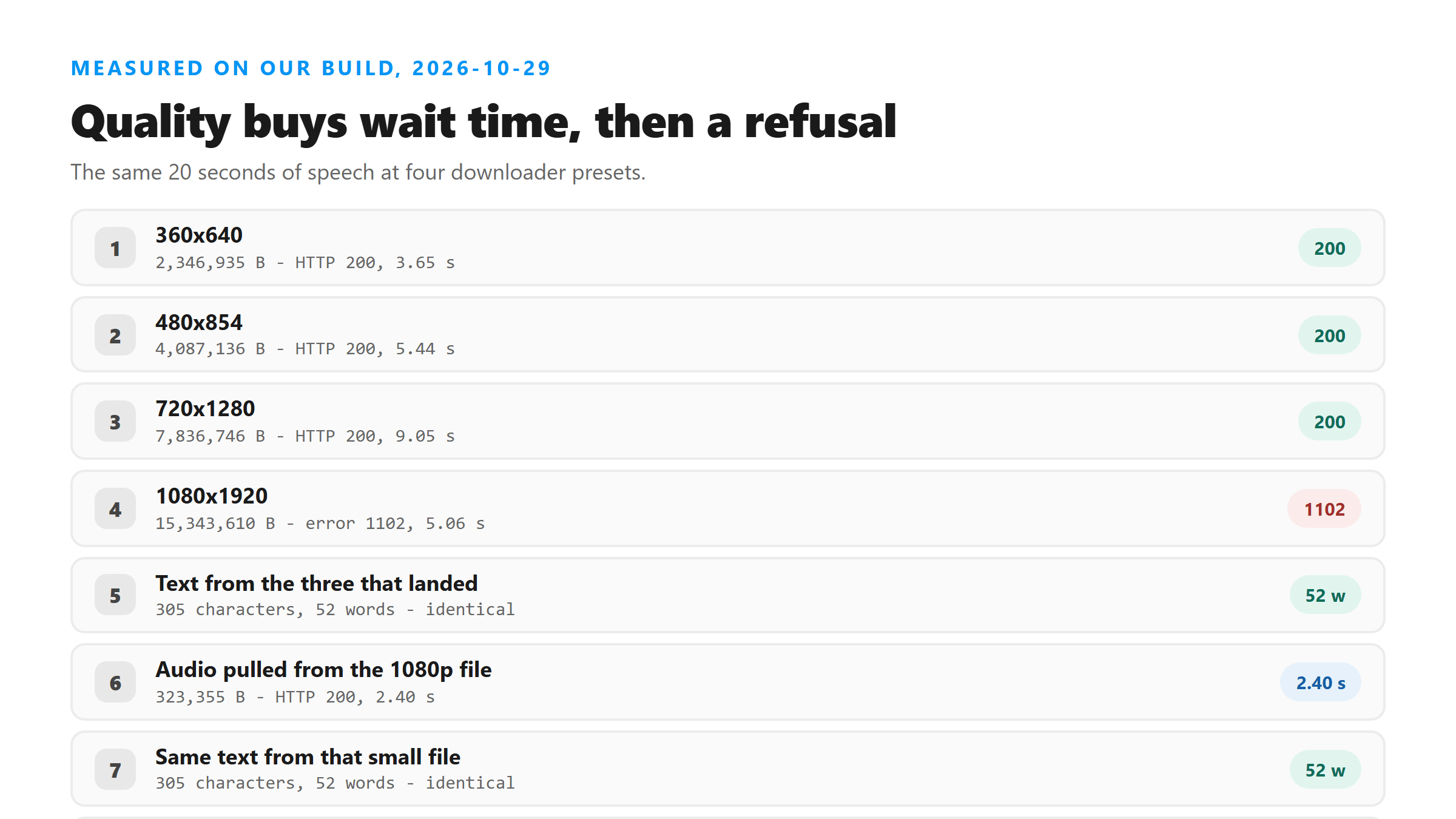
- 360x640 - 2,346,935 bytes, HTTP 200 in 3.65 seconds, 305 characters and 52 words.
- 480x854 - 4,087,136 bytes, HTTP 200 in 5.44 seconds, 305 characters and 52 words.
- 720x1280 - 7,836,746 bytes, HTTP 200 in 9.05 seconds, 305 characters and 52 words.
- 1080x1920 - 15,343,610 bytes, refused at the edge with Cloudflare error 1102 after 5.06 seconds, no text at all.
The top preset costs you the upload
Three of the four presets worked and one did not, and the one that failed was the biggest. That refusal happened in 5.06 seconds. It came back as a Cloudflare error page rather than a response from our endpoint, which is how you know it never reached the code. Yesterday a 15,629,282-byte file went through fine, so there is no fixed line to memorize. What we know is that today 7,836,746 bytes passed and 15,343,610 bytes did not. Treat the ceiling as somewhere in that range and do not bet a batch job on the top preset.
What the extra megabytes were paying for
Nothing. Spread across the three files that succeeded, the size grew by 5,489,811 bytes and the wait grew by 5.40 seconds, and the response was the same 305 characters every time. The response has six fields: success, transcript, language, engine, fileSize and fileName. Only fileSize reacted to the quality setting. The picture is decoded, checked and dropped on the way to the model, so a 720p Reel gives you exactly the transcript a 1080p Reel would have.
The version of that 1080p file that does get through
We took the 15,343,610-byte file that Cloudflare refused and pulled its audio track out with ffmpeg -vn -c:a aac -b:a 128k. The result was 323,355 bytes. It uploaded in 2.40 seconds and came back with the same 305 characters and 52 words as every other version. That is a 47 times smaller file for the same text, and it skipped the size problem completely. If you already have the big file on disk, this is one command, not a second download.
How to pick a preset when you download
Take the middle one. On today's numbers the 480x854 preset cost 4,087,136 bytes and 5.44 seconds and gave you the whole transcript. Going one step up to 720x1280 doubled the bytes and added 3.61 seconds for nothing, and going to the top lost the upload outright. If the downloader offers an audio-only option, take it. If it does not, strip the track yourself before you upload, and keep the big video file for editing rather than for transcription.
Got a Reel you want as text? Upload the file and download the transcript as TXT, SRT, or VTT →
The quality dial only moves the byte count, and today the biggest setting never arrived at all. Wondershare UniConverter rewrites the Reel on your own machine and hands you the audio track alone, which is 323,355 bytes instead of the 15,343,610 that got turned back at the edge. It does not transcribe - the text still comes from this page.
FAQ
Does a higher quality download give a more accurate transcript?
It did not today. The 360p, 480p and 720p versions of the same 20 seconds of speech all returned 305 characters and 52 words. Quality changes the picture, and transcription reads the audio track. We do not publish an accuracy number, so the honest answer is that quality moved the file size and the wait, and nothing in the text.
Why did the 1080p file fail?
It was turned back before it reached our code. The response was a Cloudflare error 1102 page after 5.06 seconds, not an answer from the endpoint. The day before, a 15,629,282-byte file uploaded fine, so the cutoff is not a fixed number you can look up. Today it sat between 7,836,746 bytes, which passed, and 15,343,610 bytes, which did not.
Is there a way to keep the quality and still get the words?
Yes, keep the file and upload a copy of its audio. Pulling the track out of the 15,343,610-byte file with ffmpeg gave us 323,355 bytes, which came back in 2.40 seconds with the same 305 characters. You lose nothing in the text and you stop losing uploads at the edge.