Split Audio File: Where to Cut So the Two Halves Match the Whole
One file, five cut points
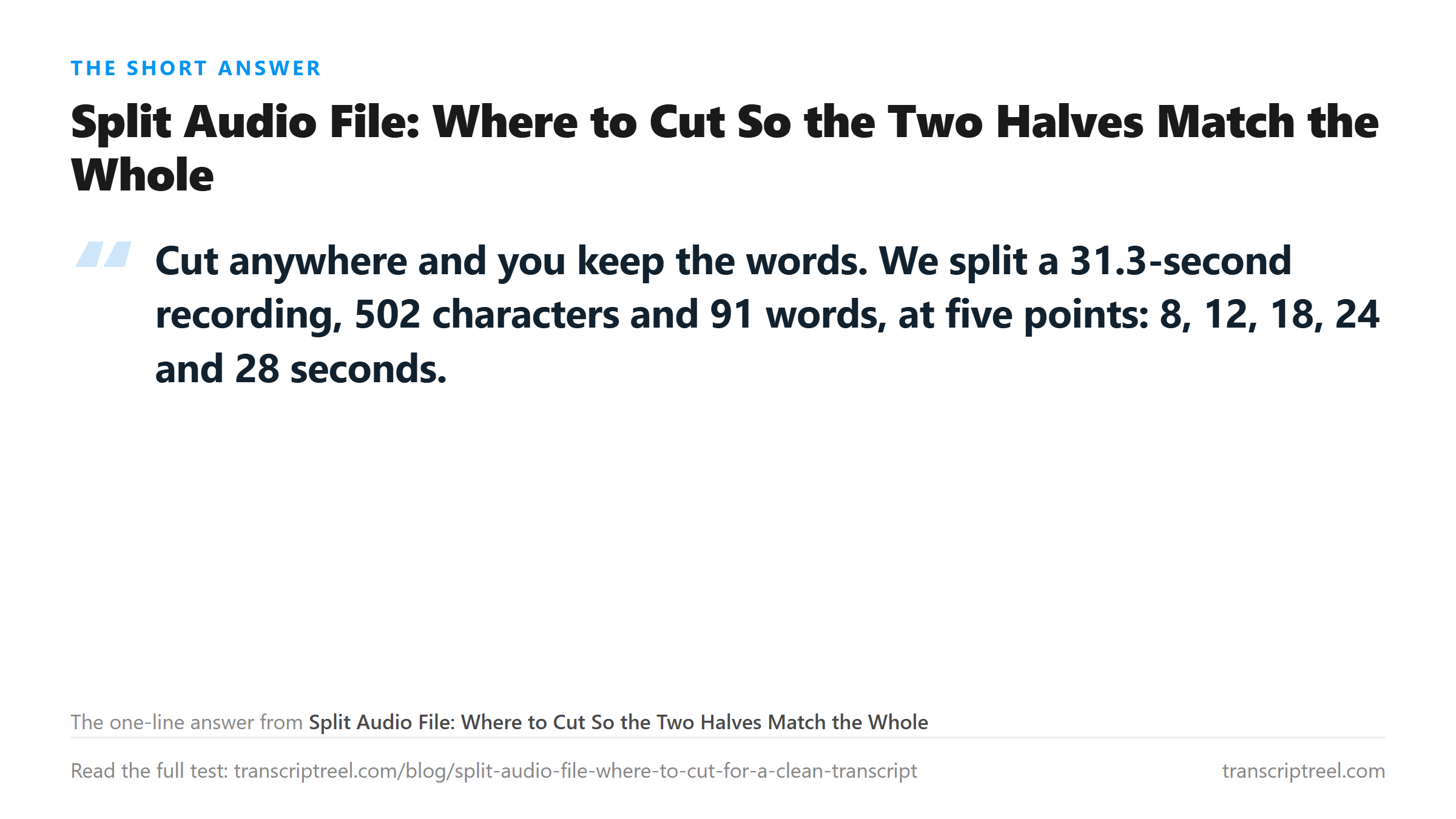
We cut it at five timestamps, using a stream copy so no audio was re-encoded, then uploaded each half on its own.
- Whole file: 502 characters, 91 words, 5.35 s.
- Cut at 8 s: 136 + 366 = 502 characters, 26 + 66 = 92 words.
- Cut at 12 s: 210 + 294 = 504 characters, 39 + 53 = 92 words.
- Cut at 18 s: 291 + 209 = 500 characters, 53 + 39 = 92 words.
- Cut at 24 s: 384 + 116 = 500 characters, 70 + 21 = 91 words.
- Cut at 28 s: 448 + 56 = 504 characters, 82 + 11 = 93 words.
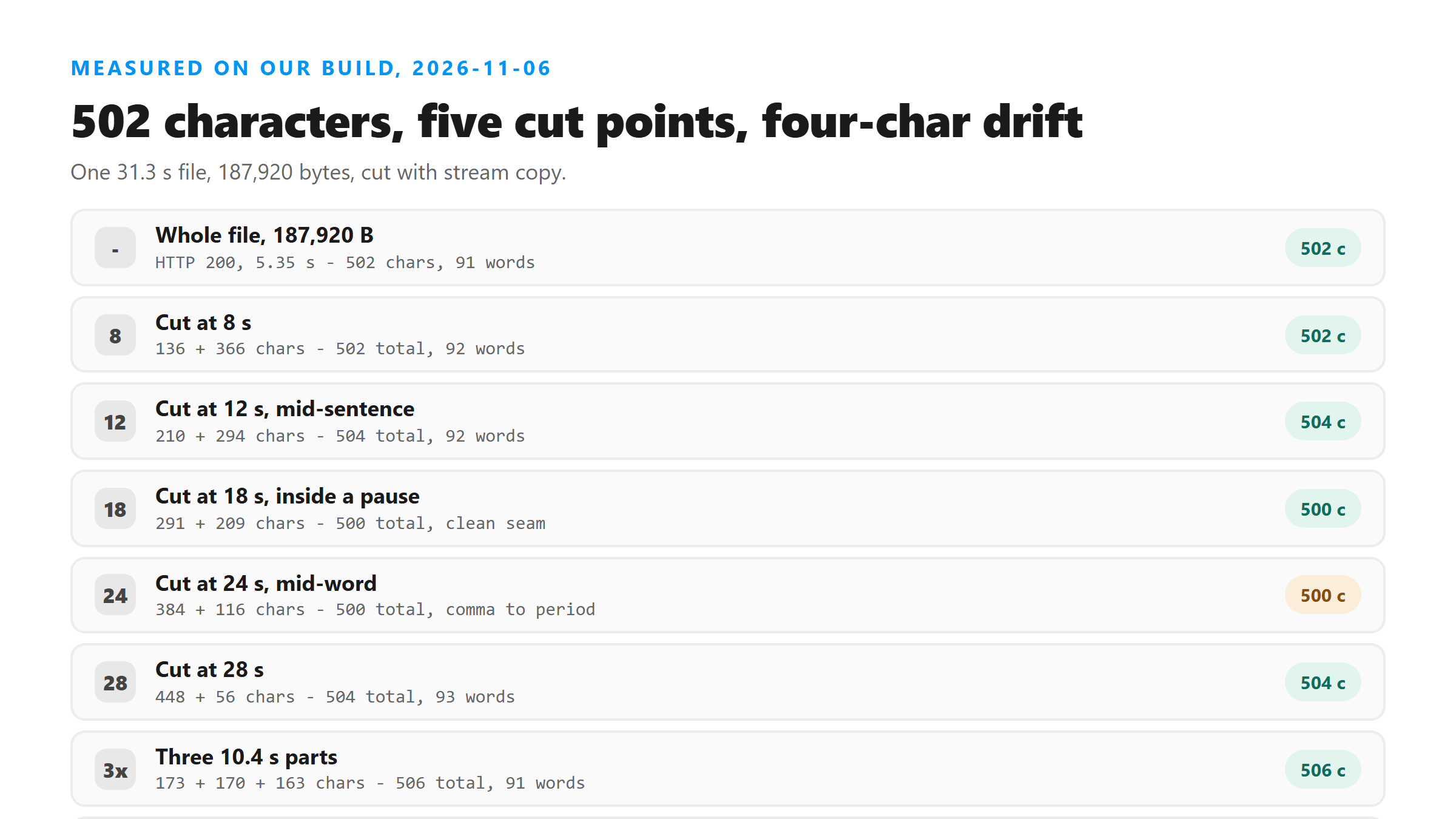
The totals land within four characters
The word count wandered more than the character count: 91 to 93. That is the model turning a fragment like "was dry" into "Dry in" and counting it differently, not a word going missing.
What a cut inside a word looks like
At 24 seconds the first half ends "the floor was" and the second half opens "Dry in the count match the manifest again". The original sentence was "By two the floor was dry and the count matched the manifest again."
- First half tail: "...under the joint. By two the floor was"
- Second half head: "Dry in the count match the manifest ag..."
- Original: "By two the floor was dry and the count matched the manifest again."
- Words lost: none. Punctuation changed: the comma between the halves became a period.
The half syllable "dry" survived as a word. It got capitalized because it started a new file, and "and" collapsed into the sentence. That is the whole cost.
A cut at a pause costs nothing at all
At 18 seconds the cut landed inside a 1.0-second pause. The first half ended "...wet corners from the leak above." The second half opened on the roof seam sentence.
- Cut at 18 s: 291 + 209 = 500 characters.
- Both halves ended and began on a sentence boundary.
- The seam text is a period where the whole file also had a period.
How to find a pause without listening
Ask ffmpeg where the silence is. It prints every gap below a threshold, and you pick one of those timestamps instead of a round number.
- ffmpeg -i in.mp3 -af silencedetect=n=-35dB:d=0.28 -f null -
- Read the silence_start values from the log.
- Cut at silence_start plus half the gap, so the split sits in the middle of the quiet.
- Our file had eight pauses between 2.8 and 30.4 seconds, so a clean cut was never more than three seconds away.
That is the whole trick. Round numbers like 10, 20 and 30 land wherever they land. Silence timestamps land between words by construction.
Three pieces behave like two
The drift did not grow with the number of cuts. Two cuts cost four characters; five cuts cost four characters. There is no accumulating penalty for splitting more.
Overlapping the halves does not help
A common habit is to overlap the two pieces by a second or two so nothing falls between them. We tried a one-second overlap on the same file: the two uploads returned 291 and 209 characters, still 500 in total.
- No overlap: 291 + 209 = 500 characters.
- 1 s overlap: 291 + 209 = 500 characters.
- The overlap bought nothing, and it gives you a duplicated sentence to delete by hand.
Overlap makes sense when you are cutting a file you cannot re-cut, like a live stream. For a file on disk, cut on a pause and skip the overlap.
When splitting actually pays
The endpoint takes files up to about 16 MB, so a long recording split into pieces is about staying under that cap. A 64 kbps mono MP3 runs about 8 KB per second, which puts 16 MB at roughly 33 minutes.
- Under 30 minutes: upload whole, one request, one block of text.
- 30 to 60 minutes: two halves, each cut on a pause.
- Over an hour: one file per session rather than one per hour.
- Every extra piece adds an upload and a copy-paste step, so split only as much as you need.
Rejoining the text
The two halves come back as two blocks. Put them in order, delete the period at the end of the first block if the sentence continues, and you are done. There is no separator to strip and no duplicated line to remove, as long as you did not overlap.
Three parts on a second file
The 31-second file was not the only one we cut. We also split a 43.7-second recording, 670 characters and 115 words, into three equal parts and into two halves at a pause.
- Whole file: 670 characters, 115 words.
- Halves at a pause (17.8 s): 291 + 209 = 500 characters on the short file; 266 + 398 = 664 on this one.
- Three parts of 14.5 s: 223 + 213 + 228 = 664 characters, 40 + 36 + 38 = 114 words.
- Halves with 0.3 s overlap: 342 + 334 = 676 characters, six over the whole file.
Two files, seven different cut patterns, and every total stayed within twelve characters of the single-upload number. Cutting more pieces did not cost more words.
What the seam does to punctuation
Every cut we made turned the punctuation at the boundary into a period. A comma in the whole file became a full stop at the end of the first half, and the second half started with a capital.
- Whole file: "...the floor was dry and the count matched..."
- Cut in the middle: "...the floor was" + "Dry in the count match..."
- Result: a period where a comma belonged, and "and" absorbed into "Dry in".
- Cost: one sentence split in two, no words lost.
That is why a proofread after splitting takes longer than a proofread of a single upload. You are not fixing errors, you are rejoining sentences the cut broke.
Splitting a WAV costs more than splitting an MP3
The same 31 seconds is 187,920 bytes as a 48 kbps MP3 and 1,002,318 bytes as a 16 kHz mono WAV. Five times the bytes, and the upload cap is measured in bytes.
- 48 kbps MP3: about 6 KB per second, so 16 MB is roughly 44 minutes.
- 64 kbps MP3: about 8 KB per second, 16 MB is roughly 33 minutes.
- 16 kHz mono WAV: about 32 KB per second, 16 MB is roughly 8 minutes.
- 44.1 kHz stereo WAV: about 176 KB per second, 16 MB is roughly 90 seconds.
Convert to MP3 first, then split. You will need far fewer pieces, and the transcript will not change - we have run that comparison and the words come back the same.
A cut you cannot hear is still a cut
That offset is invisible in the text. The transcript starts at the next frame boundary, which is within a few milliseconds of your timestamp. Nothing to fix, as long as you are not trying to align the text to a video by hand.
If you did overlap, search for the repeated sentence and delete the second copy. That is a thirty-second job on a two-minute recording and a five-minute job on an hour, which is the real reason to cut on a pause in the first place.
What happens to each piece you send
Each half leaves your browser on its own. The bytes go to our transcription endpoint over an encrypted connection, get decoded once in memory, and are dropped when the response is returned. Nothing is stored and nothing trains on it. Two halves means two requests, and no record that they belonged together.
Got a Reel you want as text? Upload the file and download the transcript as TXT, SRT, or VTT →
Cutting costs punctuation, not words: our worst split moved the total by four characters. The piece you want to keep small is the file, not the sentence. Wondershare UniConverter cuts a long recording at a timestamp you pick and exports each part as MP3 or M4A, without re-encoding the parts it does not touch. It does not transcribe - each half still goes through this page.
FAQ
Does splitting an audio file lose words?
No. Five cut points on one 502-character file produced totals between 500 and 504 characters. The worst case was two characters of drift, which came from re-punctuating a sentence that got cut in half.
Where should I cut?
On a pause, not on a round number. We cut at 18 seconds, which fell inside a one-second gap, and the two halves read as two clean sentences. A cut at 24 seconds landed mid-sentence and turned a comma into a period.
Does overlapping the two halves help?
Not for a file on disk. A one-second overlap returned the same 500 total characters as a clean cut, and it gives you a duplicated sentence you have to delete by hand.
How many pieces should I split a long recording into?
As few as clears the size cap. A 64 kbps mono MP3 runs about 8 KB per second, so 16 MB is roughly 33 minutes. Two halves handle most hour-long sessions, and each extra piece costs another upload.