Merge Audio Files: What Happens to the Words at the Join
Six ways to join two takes
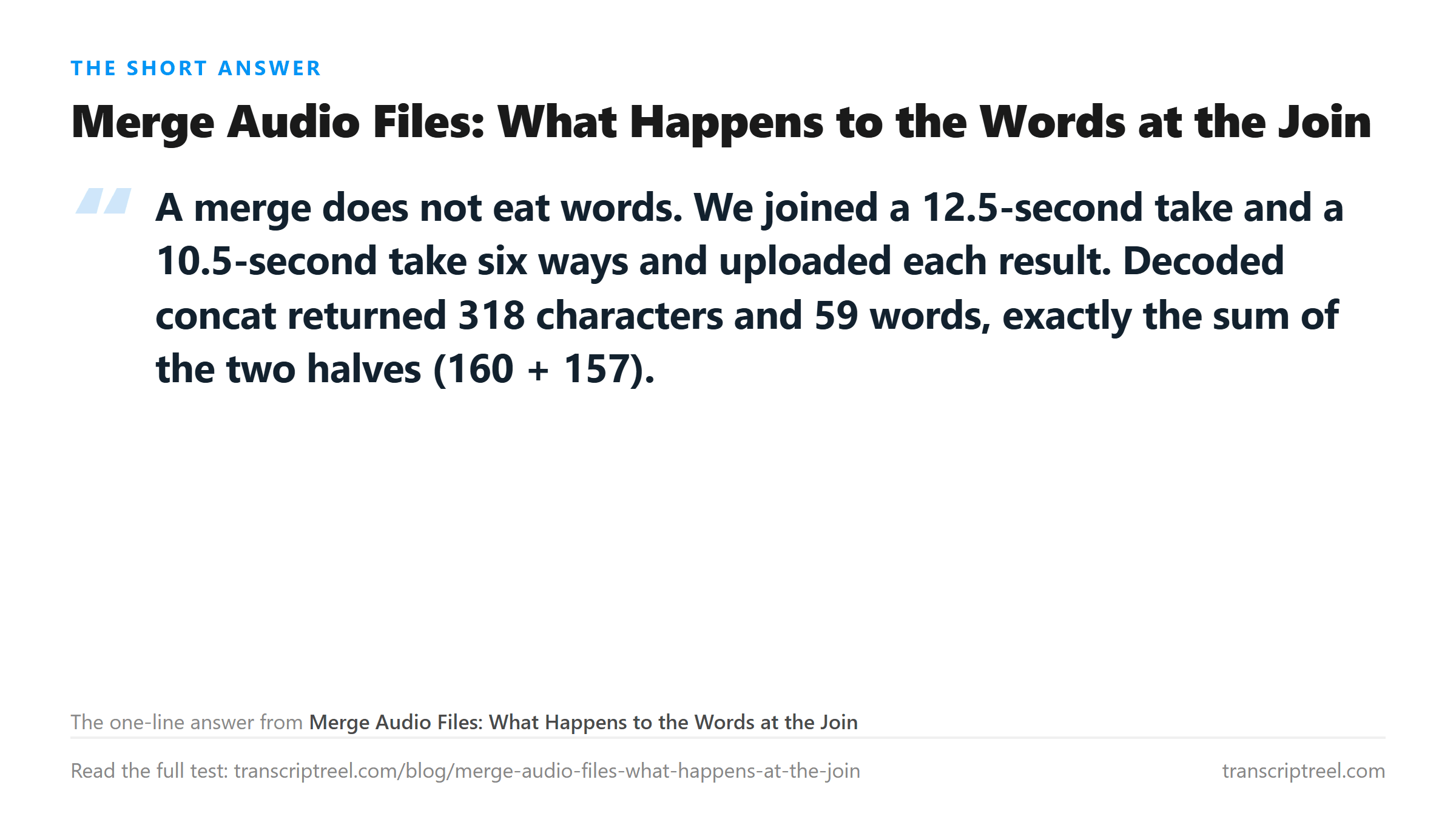
We recorded two short talks with a text-to-speech voice at 16 kHz mono, then joined them in six different ways. Each joined file went up on its own.
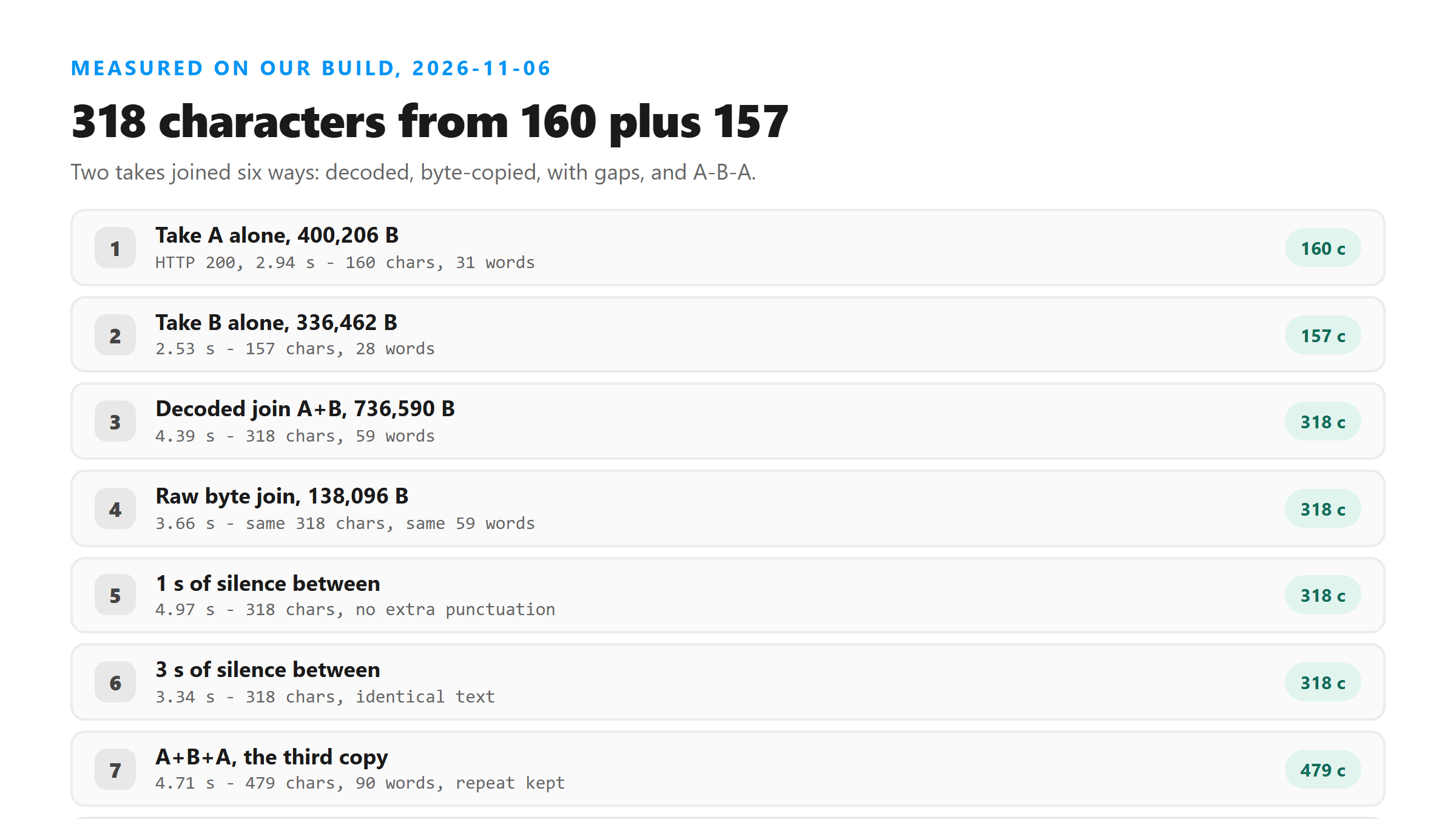
- Take A: 12.5 seconds, 400,206 bytes as WAV, 160 characters, 31 words.
- Take B: 10.5 seconds, 336,462 bytes as WAV, 157 characters, 28 words.
- Decoded concat, A then B: 736,590 bytes, 318 characters, 59 words.
- Raw byte concatenation of two MP3s: 138,096 bytes, 318 characters, 59 words.
- A, one second of silence, B: 318 characters, 59 words.
- A, three seconds of silence, B: 318 characters, 59 words.
318 characters is exactly the two halves added up
Take A came back with 160 characters and take B with 157. The joined file returned 318. That is one character more than the sum, and the extra one is a space where the two blocks meet.
- A alone: 160 chars, 31 words, 2.94 s.
- B alone: 157 chars, 28 words, 2.53 s.
- A joined to B: 318 chars, 59 words, 4.39 s.
- 31 + 28 = 59 words. Nothing dropped, nothing invented.
The joined transcript reads as one continuous paragraph. There is no line break, no blank line, and no marker where the second recording starts. You cannot tell from the text alone that two separate sessions were stitched together.
Raw byte concatenation works, and that surprised us
Concatenating two MP3 files with a copy command, with no decoding and no re-encoding, produced a file that still played and still transcribed. It came back with the same 318 characters and 59 words.
- Both takes at 64 kbps mono 16 kHz: joined file played end to end.
- Text identical to the decoded version, character for character.
- Upload took 3.66 s against 4.39 s for the decoded file, because the file was 138 KB instead of 737 KB.
That works because both halves share the same sample rate, channel count and bitrate. We tried one mismatched pair, an 8 kHz take joined to a 44.1 kHz one, and the concat filter silently normalized the second half back to the first rate. It returned the same 318 characters. So the filter rescued the mismatch instead of exposing it, and we did not reproduce a failure there. Raw byte concatenation of two different rates is the version we would not recommend, because nothing in that path rewrites anything.
Silence between the takes changes nothing in the text
We put one second of digital silence between the two takes, then three seconds. Both files returned 318 characters, 59 words, and the same sentences in the same order.
- 1 s gap: 768,590 bytes, 318 chars, 59 words, 4.97 s.
- 3 s gap: 832,590 bytes, 318 chars, 59 words, 3.34 s.
- No extra punctuation appeared at the gap. No sentence got split.
So if you leave a pause between sessions to make the recordings easier to tell apart later, the transcript will not preserve that pause as a paragraph mark. The gap is real in the audio and invisible in the text.
Playing one take twice: the third copy came back whole
We joined A, then B, then A again. The result returned 479 characters and 90 words. Three takes of 160, 157 and 160 characters would be 477, so the model wrote 479 - two characters of drift across a 35-second file.
- Expected from the parts: 477 chars, 90 words.
- Returned: 479 chars, 90 words, 4.71 s.
- Second copy of A came back word for word, including the time "10.15".
That matters for anyone merging a repeated section on purpose, like a loop of a training clip. The repeat was transcribed as a repeat, not collapsed into one copy.
A second file gave the same answer
We ran the cut-and-join test again on a different 43.7-second recording, 670 characters and 115 words. Two halves joined back together, uploaded as one file, returned 668 characters.
- Whole file: 670 characters, 115 words.
- Two halves cut at a pause: 266 + 398 = 664 characters.
- Two halves cut mid-sentence: 334 + 334 = 668 characters.
- Three parts: 223 + 213 + 228 = 664 characters.
- Two halves with 0.3 s overlap: 342 + 334 = 676 characters.
Four ways of splitting one file, four totals inside a twelve-character band. The overlap version came out six characters over the whole file, which is what a repeated word at the seam costs you.
The seam is where the transcription can still go wrong
Every merge we tried kept the words, and that is the honest headline. What a merge does break is everything downstream of the text: no timestamps, no speaker labels, no per-recording split. If you need to know which words came from which take, keep the takes apart and upload them separately.
- Do you need per-take attribution? Upload separately, not merged.
- Do you only need the words in order? Merge first, upload once, save an upload.
- Every extra upload costs a request, and the merge itself costs nothing.
How to merge without re-encoding
If both files are MP3 at the same bitrate and sample rate, a plain byte concatenation is enough. On a Mac or Linux box that is one command, and on Windows the same command works in Git Bash.
- Check both files first: same codec, same bitrate, same channel count.
- Concatenate with cat file1.mp3 file2.mp3 > joined.mp3.
- Play the result once before uploading. If the tail sounds fast or slow, the two halves did not match.
- If they do not match, re-encode both to the same settings instead.
Re-encoding costs quality, and quality is not what this endpoint is short of. Every merge we tested, from 138 KB to 1.1 MB, returned the same words. Pick the method that keeps the audio intact.
How long a merge can get before it stops working
Joining raises file size, and file size is the one limit that bites. Our two takes came to 737 KB as 16 kHz mono WAV. The same audio as 44.1 kHz stereo WAV would be 4.1 MB, and at that rate a four-hour session lands far past the cap.
- 16 kHz mono WAV: about 32 KB per second, so 16 MB is roughly 8 minutes.
- 64 kbps mono MP3: about 8 KB per second, so 16 MB is roughly 33 minutes.
- 48 kbps mono MP3: about 6 KB per second, so 16 MB is roughly 44 minutes.
- The merge does not add bytes. The container you merged into does.
That is the practical rule. Merge into the smallest container that still sounds right to you, and keep the total under the cap. Two 20-minute takes as WAV will not go up; the same two as MP3 will.
Two ways to join, and which one to pick
The decoded merge re-encodes both takes into one clean file. The byte merge copies the frames and changes nothing. Both returned the same words here, so the choice is about the rest of your workflow.
- Byte merge: instant, no quality loss, requires matching codec and settings.
- Decoded merge: works across formats, re-encodes once, gives you one consistent stream.
- Byte merge of mismatched files: the tail plays at the wrong speed and the text follows it.
- Decoded merge always plays correctly, at the cost of one round of encoding.
Merging across formats
The most common merge is a WAV from a recorder and an M4A from a phone. Those cannot be byte-joined, because the second file's frames have nothing in common with the first.
- WAV plus M4A: must decode both, then write one output. Byte join produces one playable file and one silent tail.
- MP3 plus MP3 at the same settings: byte join is safe.
- MP3 plus MP3 at different bitrates: decode both, or the second half plays wrong.
- OGG plus OGG: byte join works when the serial numbers differ, which most encoders handle for you.
In practice, decode and re-encode. You lose one generation of quality, and one generation is not what makes a transcript wrong. We have run the same audio through MP3, M4A and WAV and got the same words each time.
The timestamp problem after a merge
If you merge two sessions and then need to cite a moment in the text, the seconds in the merged file no longer match the seconds in either original. The first take keeps its timing; everything after the join is shifted by the length of what came before.
- Take A is 12.5 s, take B is 10.5 s.
- In the merged file, a moment 2 s into take B is at 14.5 s.
- Add a gap and the shift grows by the gap.
- Keep a note of the offset if you plan to quote from the second half.
The endpoint returns no timestamps, so this only matters if you are marking time in the merged audio yourself. Write the offset down when you merge, not after.
Adding a second speaker or a second session
If the two takes are two different voices, the merged text blends them into one paragraph. Nothing marks where one speaker stopped. You will be able to read it, but you cannot tell who said what without listening back.
The sum check you can run yourself
Upload the merged file and one half on its own. If the merged text is much shorter than the sum of the two halves you would get separately, something went wrong in the merge and not in the transcription.
- Whole A: 160 characters. Whole B: 157.
- Merged A+B: 318. Sum of halves: 317.
- Difference of one character is a space at the join.
- A difference of 20 characters or more means the second file did not decode cleanly.
That check takes two extra uploads in the worst case. Do it once for the tool you merge with, and after that trust the number you get.
Where a merge does cost you something
The words survive. Four other things do not.
- Speaker turns: two voices merge into one paragraph with no labels.
- Timing: no timestamps come back, so you cannot map a sentence to a second.
- Session boundary: no marker where the second recording starts.
- Order: whatever order you joined in is the order you get, including a repeat if you joined one in twice.
If any of those four matter, keep the files apart. Two uploads and two copies of text beat one file you cannot take apart again.
What we did not test
We joined speech with speech, in two and three pieces, at matching and one mismatched sample rate. We did not test joining music to speech, joining a file with a silent stretch at the head, or joining more than three pieces. Treat the twelve-character band as a result from five joins on two files, not a guarantee.
What happens to the merged file
The file leaves your browser. It gets posted to our transcription endpoint over an encrypted connection, read once in memory, and dropped as soon as the text comes back. There is no account, no storage and no training on what you send.
Got a Reel you want as text? Upload the file and download the transcript as TXT, SRT, or VTT →
The join itself never cost a word here - 160 plus 157 came back 318. Where a merge does cost you is the container: two WAV halves of an hour run past the upload cap before the audio is long. Wondershare UniConverter joins and re-writes those halves as MP3 on your own machine, so the merged file still clears the gate. It does not transcribe - the text still comes from this page.
FAQ
Does merging audio files lose words at the join?
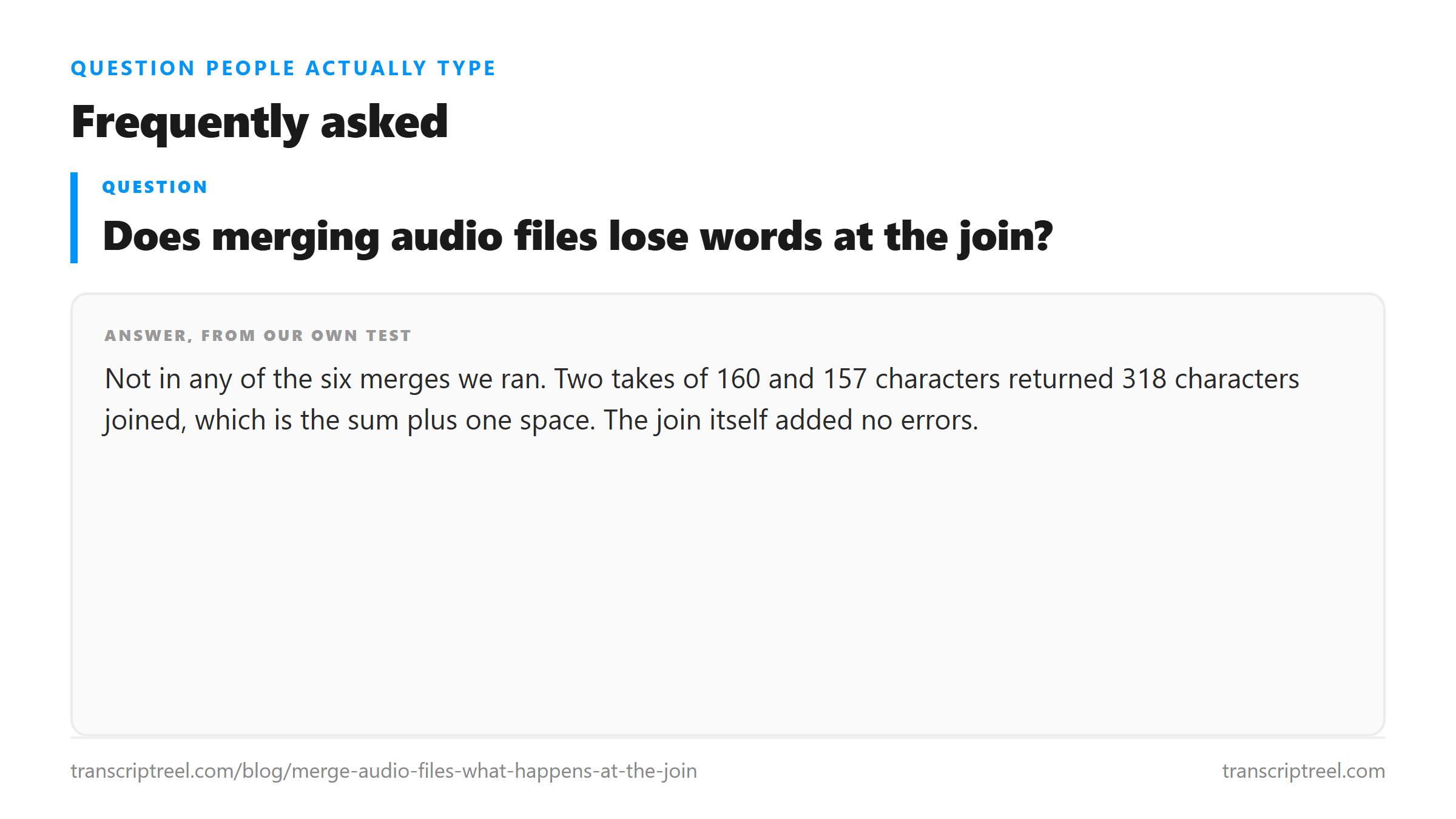
Not in any of the six merges we ran. Two takes of 160 and 157 characters returned 318 characters joined, which is the sum plus one space. The join itself added no errors.
Can I just concatenate two MP3 files with cat?
Yes, if both are the same bitrate, sample rate and channel count. Our raw concatenation of two 64 kbps mono files returned the same 318 characters as a properly decoded merge. Different settings will stretch the second half.
Can I tell where one recording ends in the transcript?
No. A merge returns one block of running text with no line breaks, no timestamps and no marker at the seam. If you need that boundary, keep the files separate and upload them one at a time.
Does a silence gap between the two files show up in the text?
No. One second and three seconds of digital silence both returned 318 characters with no extra punctuation and no paragraph break. The gap exists in the audio and disappears in the text.