Audio Out of Sync: What Happens When the Sample Rate Header Is Wrong
We changed four bytes and nothing else
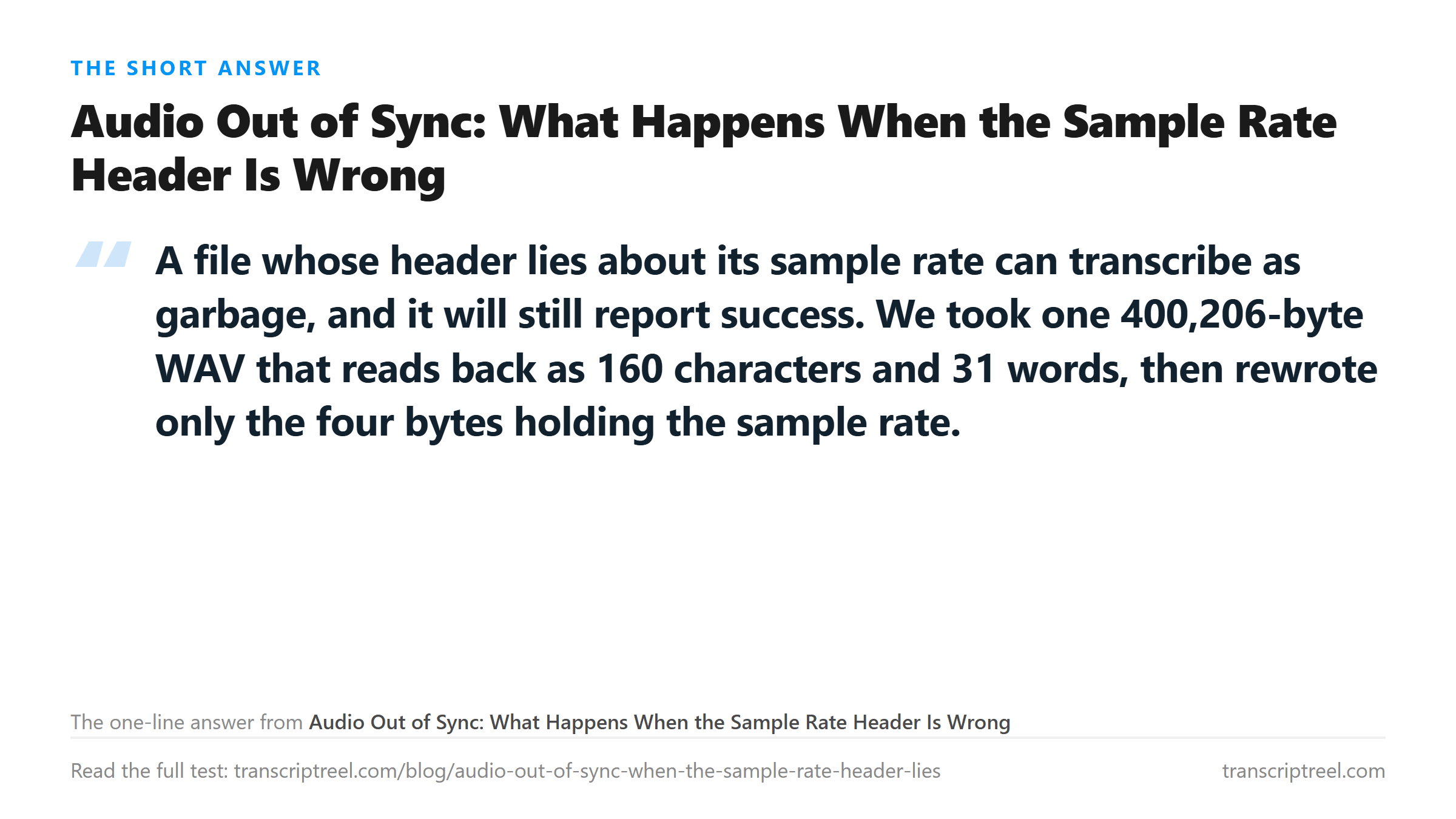
A WAV header stores the sample rate as a 32-bit number at byte offset 24, and the byte rate at offset 28. We rewrote those fields and left every audio sample untouched. The file size stayed at 400,206 bytes in all five copies.
Two lies survived, three did not
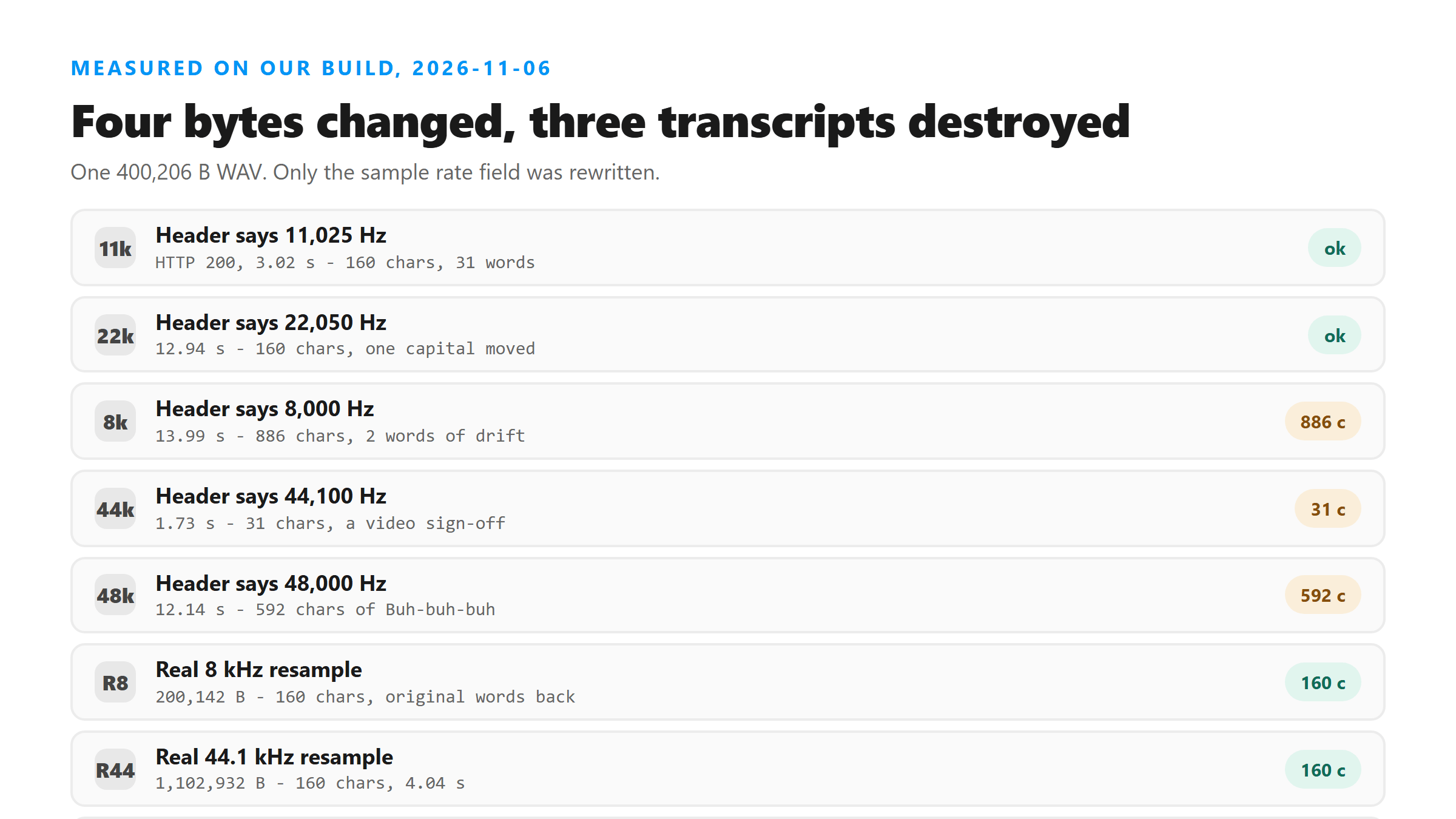
- Header says 11,025 Hz: 200, 160 characters, 31 words. Correct text, one capital letter moved.
- Header says 22,050 Hz: 200, 160 characters, 31 words. Correct text, "North Entrance" capitalized.
- Header says 8,000 Hz: 200, 886 characters, 2 words. Nonsense, returned in 13.99 s.
- Header says 44,100 Hz: 200, 31 characters, 6 words. "Thank you so much for watching!"
- Header says 48,000 Hz: 200, 592 characters, 1 word. "Buh-buh-buh" repeated, 12.14 s.
Every one of those five said success: true. There was no warning field, no error code, and no hint that the model had just been handed audio playing at the wrong speed.
The size of the lie is what matters
That is a useful line to remember. A small mismatch gets absorbed. A factor of two turns speech into a drone the model cannot parse, and it fills the gap with whatever its training data says silence sounds like.
Where "Thank you so much for watching" comes from
At 44,100 Hz the audio plays 2.76 times too fast. The model heard a short burst of high, fast sound and wrote the sentence it has seen most often attached to that pattern: a sign-off from a video.
- 31 characters, 6 words, 1.73 seconds of processing.
- No error, no empty transcript, no flag.
- If you skim the text and see a clean sentence, you will believe it.
This is the failure mode that costs people the most, because it does not look like a failure. A wrong transcript you can spot. A fluent sentence that has nothing to do with your recording slides through a proofread.
The control: real resampling gives the words back
We then took the same audio and actually resampled it, so the header and the samples agreed. Both versions returned the original 160 characters and 31 words.
- Real 8 kHz mono: 200,142 bytes, 160 characters, 31 words, 1.77 s.
- Real 44.1 kHz mono: 1,102,932 bytes, 160 characters, 31 words, 4.04 s.
- Header-lie 8 kHz: 886 characters of nonsense from the same 400,206 bytes.
- Header-lie 44.1 kHz: 31 characters, 6 words, "Thank you so much for watching!"
Eight kilohertz is telephone quality and it still came back perfect. The lesson is not that low sample rates are bad. The lesson is that a file whose header disagrees with its samples is a different file to the model than it is to your media player.
Why a header ends up wrong
Headers get rewritten by tools that copy audio without decoding it. A stream copy that changes the container, a batch script that edits metadata, a recorder that crashed halfway through writing, a download that resumed at the wrong byte offset.
- Stream copy into a new container: ffmpeg can write a fresh header with copied samples.
- Crash during recording: the header keeps the rate the app planned, the tail is truncated.
- Resume after a dropped connection: bytes restart mid-frame, the header stays from the first attempt.
- Hand-edited metadata: some tag editors rewrite the whole header block.
Your media player often hides this. It reads the header and plays at the stated rate, so the audio sounds fast or slow. When the mismatch is large enough, some players ignore the header and detect the rate from the data. That is why a file can sound fine on your laptop and transcribe as nonsense.
How to check a file before you upload it
Ask the file what it thinks it is, then ask what it actually contains. Two numbers that disagree tell you the header is lying.
- Run ffprobe on it and read the sample rate it reports.
- Play it. If the pitch sounds wrong for a known voice, the header and the samples disagree.
- Compare duration against file size. A 12-second 16 kHz mono WAV is about 400 KB. A 12-second file claiming 44.1 kHz stereo should be about 2.2 MB.
- If the numbers do not line up, re-encode instead of copying. A copy keeps the lie.
The arithmetic that catches it
For our clip: 400,206 bytes minus a 44-byte header is 400,162 bytes of samples. At 16,000 Hz mono 16-bit that is 200,081 samples, or 12.5 seconds. If the header claimed 48,000 Hz, the same bytes would be 4.2 seconds of audio - and that is exactly the stretched drone the model heard.
What to do with a file you cannot repair
If you do not have the original recording, force the rate. Tell ffmpeg the input is what the header claims and the output is what you want, and it will resample honestly.
- ffmpeg -i in.wav -ar 16000 -ac 1 out.wav sets a real rate and rewrites the samples.
- Do not use -c:a copy here. Copy is what preserves the wrong header.
- Check the output with ffprobe before uploading.
- If the audio still sounds wrong after re-encoding, the samples themselves are damaged, and no header edit will fix that.
Speed changes you make on purpose behave the same way
We also tested deliberate speed changes on a 31-second clip, 502 characters and 91 words. Slowing it to 0.9x with a tempo filter kept all 91 words. Slowing it to 0.5x kept them too, at 501 characters. Speeding it to 2.0x gave 511 characters and 94 words, with "Tuesday" becoming "two stay".
- 0.9x tempo change: 502 characters, 91 words, unchanged.
- 0.5x tempo change: 501 characters, 93 words.
- 1.5x: 503 characters, 92 words, "two-day crew" for "Tuesday crew".
- 2.0x: 511 characters, 94 words, two word errors.
We also tested the two ways of changing speed, because they fail differently. A tempo change keeps the pitch and stretches time. A resample changes both at once, which is what a wrong header effectively does.
- Tempo 0.9x: 502 characters, 91 words, text intact.
- Tempo 0.75x: 499 characters, 91 words, "dock 4" for "dock four".
- Tempo 0.5x: 501 characters, 93 words, still readable.
- Resample 0.9x: 497 characters, 92 words, pitch up, text intact.
- Resample 0.75x: 499 characters, 91 words, one leading word dropped.
- Resample 2.0x: 514 characters, 94 words, "that floor" for "dock four".
Both methods held up across the whole range we tried, from half speed to double. The header test broke because the model was handed audio at a rate the header did not describe, and no playback tool would have played it the same way either.
Why the failure is silent instead of loud
A pipeline that decodes audio and then runs a speech model has no cheap way to check that the speech it received is real speech. It can check that the file parsed. It can check that samples exist. It cannot check that the words make sense.
- Parse check: did the header read cleanly? Ours did, in all five copies.
- Length check: is there audio? Yes, 12.5 seconds of samples either way.
- Content check: is this speech? Not reliably, and that is the gap.
- So a nonsense transcript and a correct one look the same to the endpoint.
This is also why "success: true" is not a quality signal here. It means the file was accepted and a model ran. It says nothing about whether the model heard anything resembling your recording.
The three symptoms to look for
You do not need our endpoint to spot a lying header. Three things give it away before you upload anything.
- The transcript is one repeated fragment, like "Buh-buh-buh" or "and-shape-and-shape".
- The transcript is a stock sentence that has nothing to do with the recording, like a video sign-off.
- The text is far longer or far shorter than the audio would suggest - 886 characters from 12.5 seconds is a red flag; so is 31.
Any of the three means the file is probably fine and the rate is wrong. Re-encode and try again before you start editing the audio itself.
How a correct file should look
For comparison, here is the same 12.5 seconds with the header and the samples agreeing, at four different real sample rates.
- Real 8 kHz mono: 160 characters, 31 words, 1.77 s.
- Real 16 kHz mono: 160 characters, 31 words, 2.50 s.
- Real 22.05 kHz: 160 characters, 31 words, 12.94 s.
- Real 44.1 kHz mono: 160 characters, 31 words, 4.04 s.
Four rates spanning 5.5 times, one identical transcript. This endpoint does not care what rate you picked. It cares whether the rate in the header is the rate in the samples.
So the endpoint is more tolerant of speed than of a lying header. A file that genuinely plays at half speed still reads correctly. A file that claims to play at half speed while carrying full-speed samples does not.
What happens to the file you send
It leaves the browser. The bytes are posted to our transcription endpoint over an encrypted connection, decoded in memory once, and dropped when the response is written. No account, no stored copy, no training on your audio.
What we did not measure
We tested one clip, one voice and five header values. We did not test every possible mismatch, and we did not test what happens with a stereo file whose header claims mono. Treat the factor-of-two line as a rule of thumb from five data points, not a spec.
Got a Reel you want as text? Upload the file and download the transcript as TXT, SRT, or VTT →
A wrong sample rate is a file problem, not a model problem: 44,100 Hz written into a 16 kHz file returned a video sign-off. Wondershare UniConverter re-encodes audio at an explicit sample rate and channel count, so the header matches the samples behind it. It does not transcribe - the repaired file goes through this page.
FAQ
Why does my audio transcribe as nonsense when it plays fine?
The header probably disagrees with the samples. We rewrote only the sample rate in a 400 KB WAV. At 44,100 Hz the same audio returned "Thank you so much for watching!" - 31 characters, with success: true and no warning.
Does a wrong sample rate cause an error?
No. All five header values we tried returned HTTP 200 and success: true. Three of them produced garbage text. The endpoint has no way to know the header was wrong.
How far off does a sample rate have to be before the text breaks?
In our five tests, 11,025 and 22,050 Hz against a real 16,000 Hz came back word for word. The failures were at half, 2.76 times and three times the real rate. Small mismatches get absorbed; large ones do not.
Does re-encoding fix it?
Yes. We resampled the same clip to a real 8 kHz and a real 44.1 kHz, and both returned the original 160 characters and 31 words. Re-encoding writes samples that match the header, which a stream copy never does.